
Practical guide · Weddings and events
How to collect all your guests’ photos in one place
David Haïk, founder of Video Message
Checked on
Short answer
Before the party, pick one single place for every photo, and make it easy to reach with a QR code displayed around the venue and a link sent to guests. Announce it during the party, while guests have their phones in hand. Afterward, check what came in and download every file so you have your own copy.
1. Why guest photos get lost
Guests are not short on photos. They shoot the ceremony, cocktail hour, the toasts and the dance floor. The trouble is that those photos end up scattered across dozens of phones, and once the party is over, almost nobody remembers to send them.
When you ask for photos after the fact, three things happen. Some guests forget. Some text you a handful of pictures, a few at a time, usually compressed. And some post them to their own social accounts, where you cannot get the full-quality files. You end up nudging people for weeks and still never have the whole set.
The fix comes down to one rule: decide before the party where everything should go, and tell guests clearly while they are still in the room. The rest of this guide shows you how.
2. Pick one destination
One destination means one place where every guest can drop their photos, whatever phone they carry. Offer two or three options and guests hesitate, and you will be the one stitching everything together later.
To choose, ask four questions. Does a guest need to create an account or download an app? Every extra step costs you participants, especially older relatives. Do photos arrive in good quality, or are they compressed along the way? Can you download everything in one go at the end? And who besides you will be able to see the photos?
The table below compares the main types of solutions. Treat it as a guide: settings vary from service to service, and our guide to sharing options goes into more detail.
Your options at a glance
| Option | Guest account needed | Photo quality | Live display | Edited film | Cost |
|---|---|---|---|---|---|
| Group chat | No new account, but guests must join the group | Often compressed | No | No | Comes with your messaging app |
| Shared cloud album | Often, depending on the service | Good, depending on settings | Possible, with some tinkering | No | Depends on your storage plan |
| QR code event tool | Usually not | Varies by tool | Often, depending on the plan | Rarely | Paid, depending on the plan |
| Video Message | No, a first name is enough and can be left blank | Photos downloaded as a ZIP | Yes, photo slideshow | Yes, two films | $49 per event |
For guidance only. Each service’s terms can change, so check them before the big day.
3. Set up access in three moves
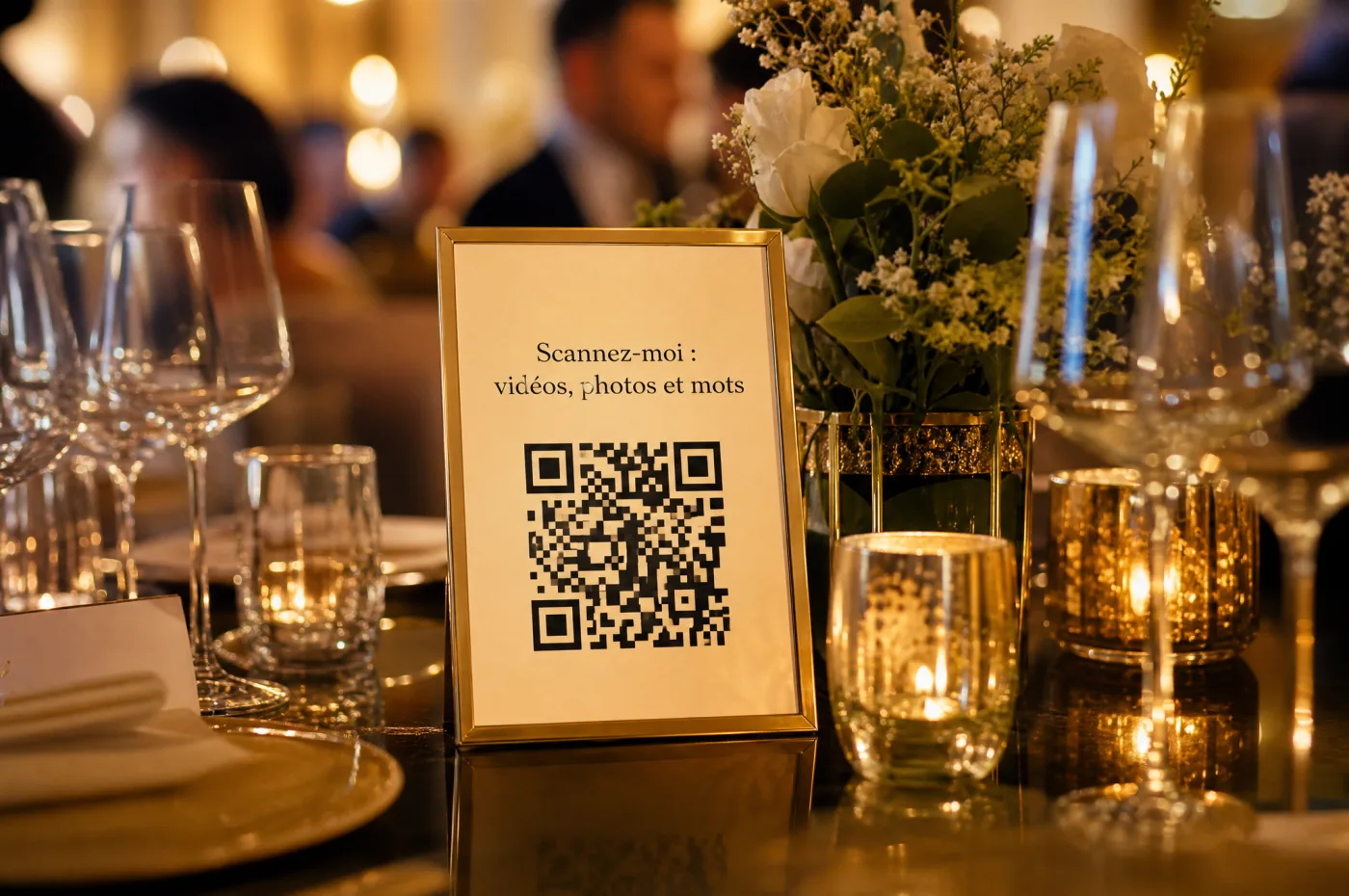
One QR code, printed many times
Put the same QR code at the entrance, the bar, the buffet and on every table. A single code sends everything to the same place.

A test on two phones
Before the day, scan the printed code with an iPhone and an Android phone, and send a real photo to make sure it arrives.

The link, sent to guests
Also share the link by text or email, for guests who would rather not scan and for loved ones who cannot make it.
Table card wording, ready to copy
“We’d love to see the day through your eyes! Scan this code with your phone’s camera and send us your photos. No app, no account needed.”
4. Spread the word during the party
A QR code sitting on a table is not enough. Most guests only notice it once someone mentions it, so plan two or three reminders at the right moments.
The best time is when guests have already taken photos and have a minute to spare: during cocktail hour, between courses, or right after the toasts. One line from the DJ or emcee does the job: “The couple would love your photos from today. The QR code is on your table and it takes a minute.” Hand that line to your emcee, best man or maid of honor. You will have other things on your mind.
If you show photos live on a screen, that is the best reminder there is. Guests see the first pictures pop up, want theirs up there too, and reach for their phones. A small sign with the QR code next to the screen does the rest.
Think about guests who are less comfortable with their phones. A designated friend or cousin can help them scan, or send photos for them. And for loved ones who cannot attend, the link you sent ahead of time lets them join in.
Text to send your guests, ready to copy
“So glad you’re celebrating with us! To keep all the photos from the party in one place, please send yours here: [link]. It works right from your phone, with no app and no account. We can’t wait to see the day through your eyes.”
5. Review, sort and download everything
Once the party is behind you, take a few minutes to scroll through what came in. You will quickly spot a missing moment, like getting ready or the late-night dancing. That is the time to reach out privately to the two or three people who were in the right place, instead of messaging everyone.
Then sort. If your tool lets guests tag photos by part of the day, that saves a lot of time. If not, a few simple folders on your computer work fine: getting ready, ceremony, cocktail hour, dinner, dancing.
Finally, download everything. Do not count on an online service to hold your memories forever: plans change, accounts close, and some tools delete files after a set period, which also protects your guests’ privacy. Keep two copies, for example on your computer and on an external drive or your personal cloud storage.
Printable
The photo collection checklist
- One destination chosen, and only one.
- The same QR code printed for the entrance, the bar, the buffet and every table.
- The code tested on an iPhone and an Android phone, on the printed sign.
- The link sent to guests, including those who cannot attend.
- An announcement planned, handed to your emcee or a member of the wedding party.
- A friend assigned to help guests who are less comfortable with phones.
- After the party: review, sort, then download everything in two copies.
Where Video Message fits
One QR code for photos, video messages and written notes, with no app and no account. Photos can play on the screen in the room, you get a first film within 24 hours after the collection closes, and you download everything: photos and videos as ZIP files, messages as a PDF.
See the shared photo album$49 per event, one payment.
Frequently asked questions
What is the easiest way to collect photos from wedding guests?
Pick one destination that needs no account, display it with a QR code in several spots, and announce it during the party. The shorter the path for guests, the more photos you get.
Do I need a different QR code for each table?
No. Print the same QR code as many times as you need. One code sends everything to the same place, so there is nothing to merge later.
Can guests send photos after the wedding?
You get the most photos when guests send them during the party, while the moment is fresh. With Video Message, guests send during the event; if you need more time for your collection, write to us.
What if a guest’s phone will not scan the code?
Most recent phones scan QR codes straight from the camera app. If not, text them the link or ask a friend to help.
Do photos keep their quality?
It depends on the option. Group chats often compress images. With Video Message, you download the photos guests sent as a ZIP file.
Keep reading
Show guest photos on a TV or projector
The gear, the connection, photo approval and a rehearsal before the party.
QR code sign wording and placement
What to write, where to put your QR codes, how big to print them and how to test.
Who can see your guests’ photos?
Visibility, sharing and how long files are kept, depending on the tool you pick.
Guest photo sharing options compared
Group chats, shared cloud albums, QR code tools: the real pros and cons of each.
The shared photo album
Every guest’s photos, sent by QR code, in one place.

The live slideshow
Guest photos on the screen in the room, automatically or after approval.