
Practical guide · Weddings and events
Who can see your guests’ photos, and how long are they kept?
David Haïk, founder of Video Message
Checked on
Short answer
It depends on the tool: in a group chat, every member sees and keeps everything, and in a shared cloud album, anyone with access can often see it all. With Video Message, photos and videos land in the host’s private space, nothing is public, and you share only what you choose. Everything is deleted from our servers 3 months after your first film is delivered, with an email reminder first.
1. Three questions to ask any tool
Your guests are trusting you with pictures of themselves, their kids, and moments they never expected to be photographed. Before you decide where those photos go, ask three simple questions.
Who sees what, and when? During the party, can every guest see everyone else’s photos? After the party, who has access to the whole collection?
Who can download and reshare? If every guest can download everything, photos can end up anywhere, without anyone really deciding that.
How long are files kept, and where? A service that keeps everything forever is not necessarily a plus: the longer photos stay online, the more exposed they are. What matters is knowing when they will be deleted, and having time to download them first.
2. Who sees the photos, by option
| Option | Who sees the photos | Who can download them | How long they are kept |
|---|---|---|---|
| Group chat | Every member of the group, as they come in | Every member, with a copy on each phone | As long as each person keeps them; they cannot be removed everywhere |
| Shared cloud album | Anyone with access to the album, depending on settings | Depends on the sharing settings | As long as the album exists, depending on your storage plan |
| QR code event tool | Varies: the gallery is sometimes visible to every guest | Depends on the tool | Depends on the service’s terms |
| Video Message | The host, in a private space; the screen in the room if you use the slideshow | The host, then whatever the host chooses to share | 3 months after the first film is delivered, then deleted |
For guidance only. Read the terms of the service you choose, especially on gallery visibility and how long files are kept.
3. During the party: what shows on the screen
If you show photos live, the screen becomes the public face of your album. Everyone in the room sees what appears there, including people the guest who sent the photo has never met.
For a party among close friends, automatic display is often fine. For a big extended family, a corporate event, or whenever lots of kids are around, go with approval first: photos wait for your OK before they appear.
With Video Message, the slideshow shows photos only, never videos or written notes. You can hide any photo at any time from your phone. A hidden photo leaves the screen but stays in your album and your downloads, so you can decide later whether to keep it to yourself or share it.
4. After the party: share on your own terms
With a private tool, nothing gets shared until you decide. That works in your favor: you can sort at your own pace, set aside blurry or awkward shots, then send family a selection, a film or a link.
Before posting photos on social media, ask the people in them, especially when kids are involved. Some guests have good reasons not to appear online. If someone asks you not to share a photo, leave it out of your selections and posts.
Photos of children deserve extra care. Kids end up in a lot of party pictures, often in the background, and their parents may have firm rules about where their images go. A simple habit helps: before sharing a wider selection, send parents the photos of their own kids first, or leave out shots where a child is easy to identify.
The same goes for guests who are going through something: a divorce, a job situation, a reason to stay off the radar. You do not need to ask everyone. Just keep in mind that a photo shared once is hard to pull back, and when in doubt, share less.
With Video Message, your films are shared by link. Photos, videos and the message book are yours to download: photos and videos as ZIP files, written messages as a PDF. What you do with them next is up to you.
5. How long files are kept
For your guests’ security and privacy, Video Message keeps nothing longer than 3 months after your first film is delivered. The first film arrives within 24 hours after the collection closes; from then on, you have three months to download everything.
You do not need to track the date yourself: we send you an email reminder before anything is deleted. After that, the photos, videos, messages and films are deleted from our servers and cannot be recovered.
A limited retention period protects your guests: their pictures do not sit indefinitely on a server they do not control. It also protects you, by nudging you to do what you should do anyway: keep your memories at home, in two copies.
6. Save your files before they are deleted

Download your films
The first film with the video messages, and your personalized film if you made one.
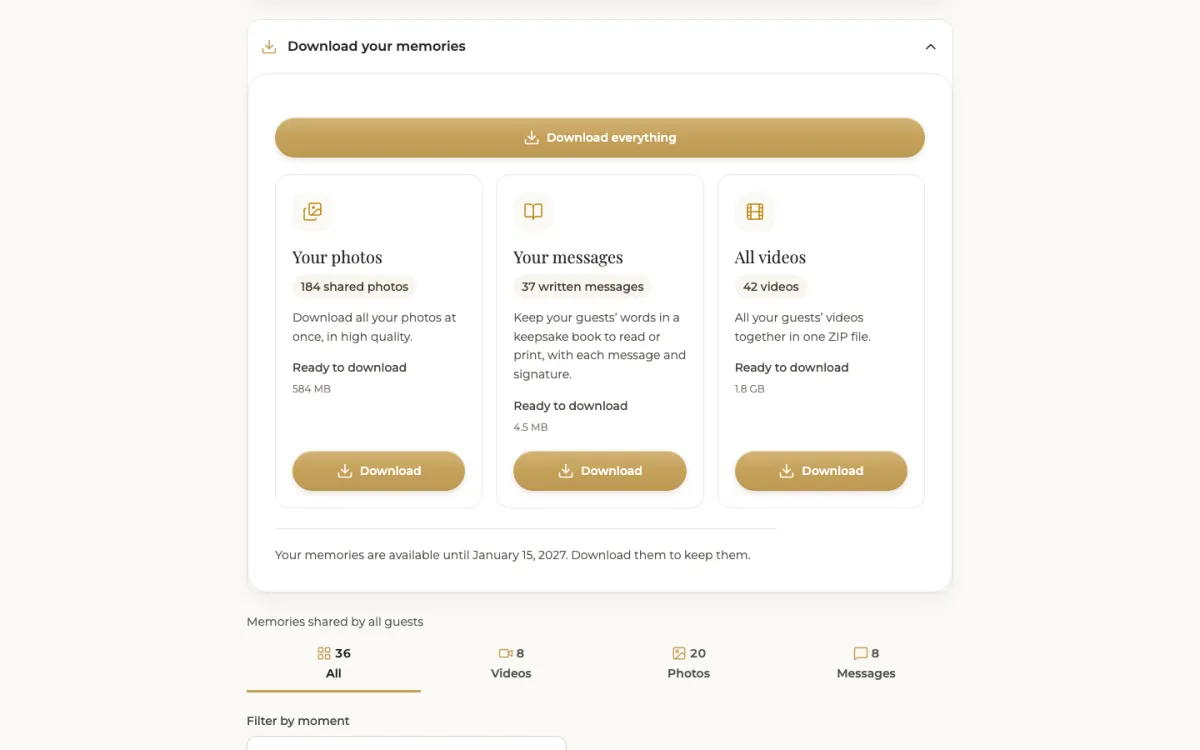
Download photos and videos
Every guest photo and video, as ZIP files, from your dashboard.
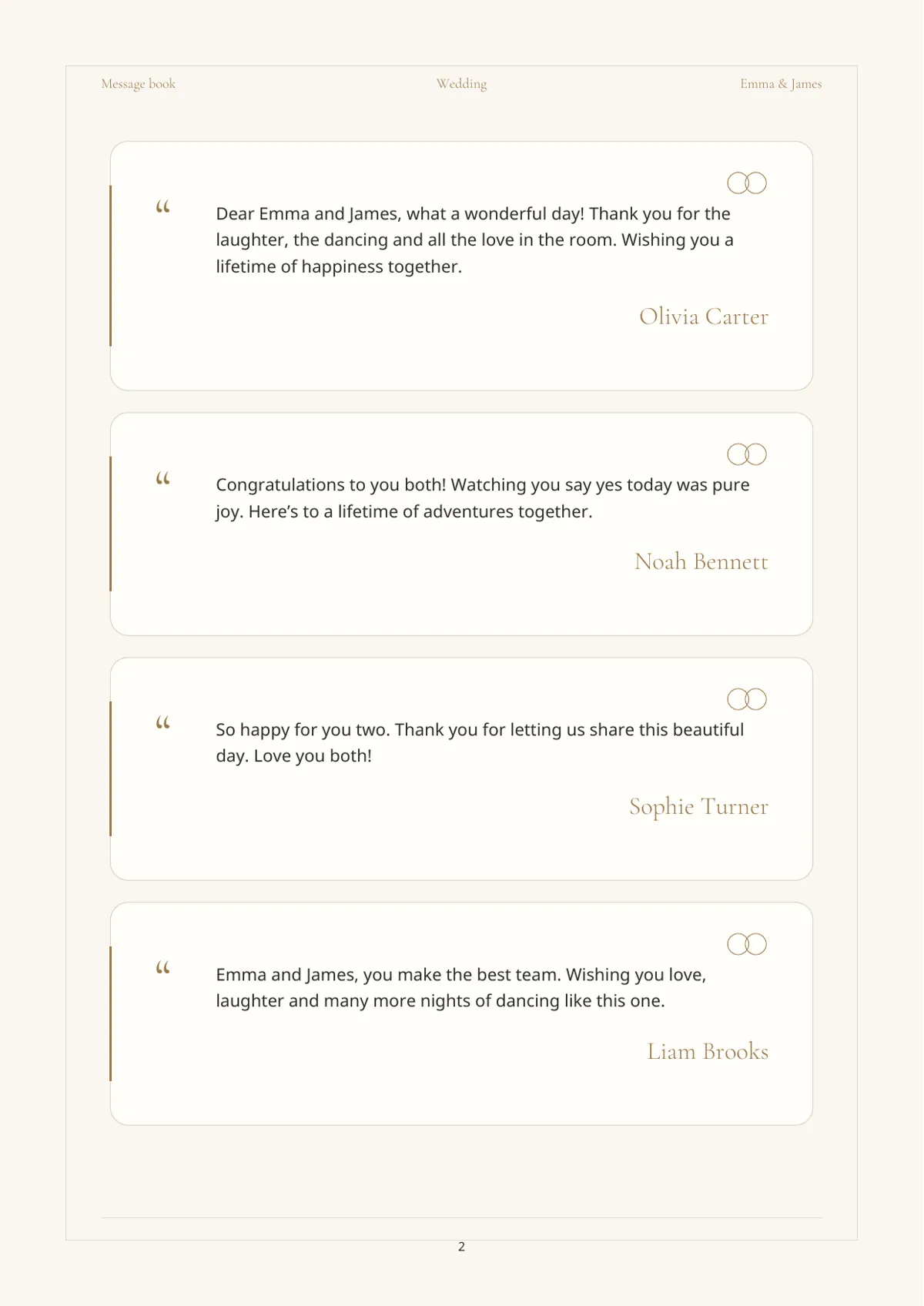
Keep the message book
Your guests’ written notes, gathered in a PDF. Store everything in two places.
A line to reassure your guests
“Your photos and videos come straight to us and nothing gets posted publicly. We’ll decide together what to share, and if you’d rather a photo stay private, just let us know.”
Full transparency
What Video Message does not do
- No public gallery: uploads land in your private space.
- No posting to social media on your behalf.
- No storage beyond 3 months after your first film is delivered.
- No recovery after deletion: download first.
Where Video Message fits
A private space for your guests’ photos, videos and notes, a slideshow you control, films shared by link, and every file ready to download before deletion, with an email reminder.
See what you keepFrequently asked questions
Can guests see each other’s photos?
With Video Message, there is no public gallery: uploads land in the host’s private space. Guests only see what you show on the screen in the room or share afterward.
Does hiding a photo from the slideshow delete it?
No. It leaves the screen but stays in your album and your downloads.
How long are guest photos kept?
For 3 months after your first film is delivered. After that, everything is deleted from our servers, for your guests’ security and privacy.
Will I get a warning before files are deleted?
Yes, we send you an email reminder before deletion, so you have time to download everything.
Do guests have to give their name?
Video Message asks for a first name so you know who is speaking, but guests can leave it blank. No account is created.
Keep reading
How to collect guest photos
One destination, one QR code, one well-timed announcement, then download everything.
Show guest photos on a TV or projector
The gear, the connection, photo approval and a rehearsal before the party.
QR code sign wording and placement
What to write, where to put your QR codes, how big to print them and how to test.
Guest photo sharing options compared
Group chats, shared cloud albums, QR code tools: the real pros and cons of each.
All features
Before, during and after the party: everything Video Message does.